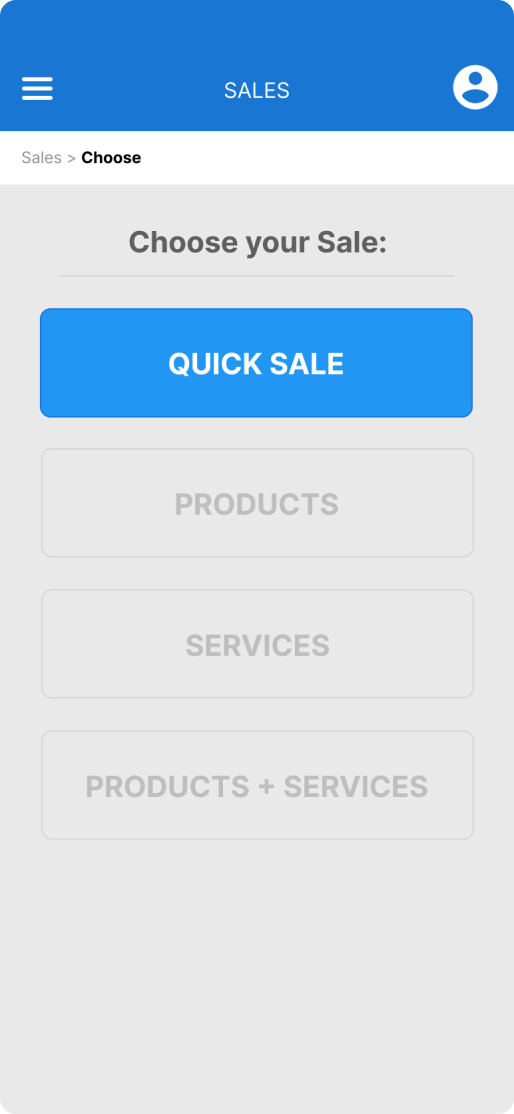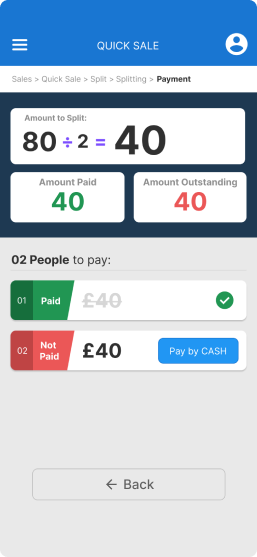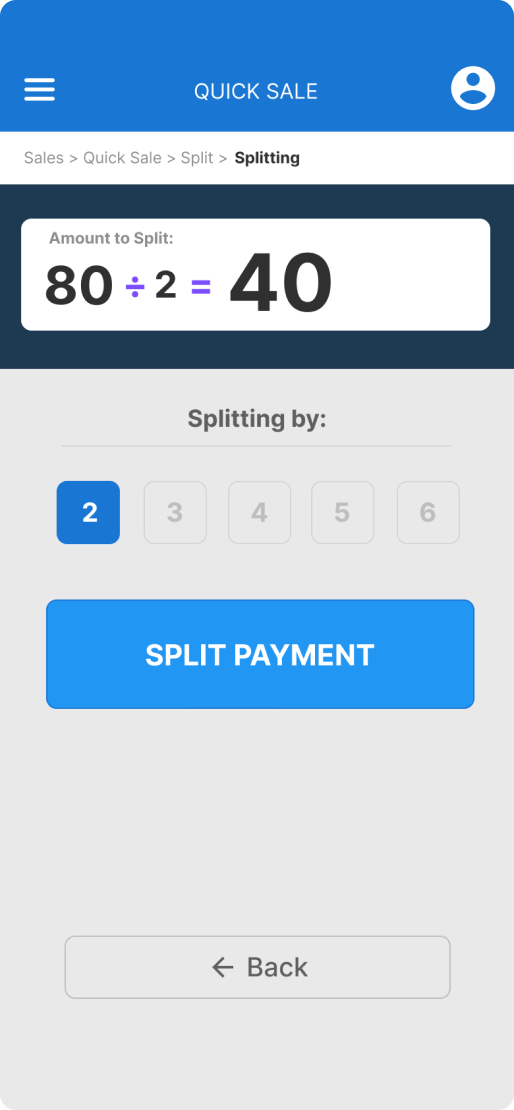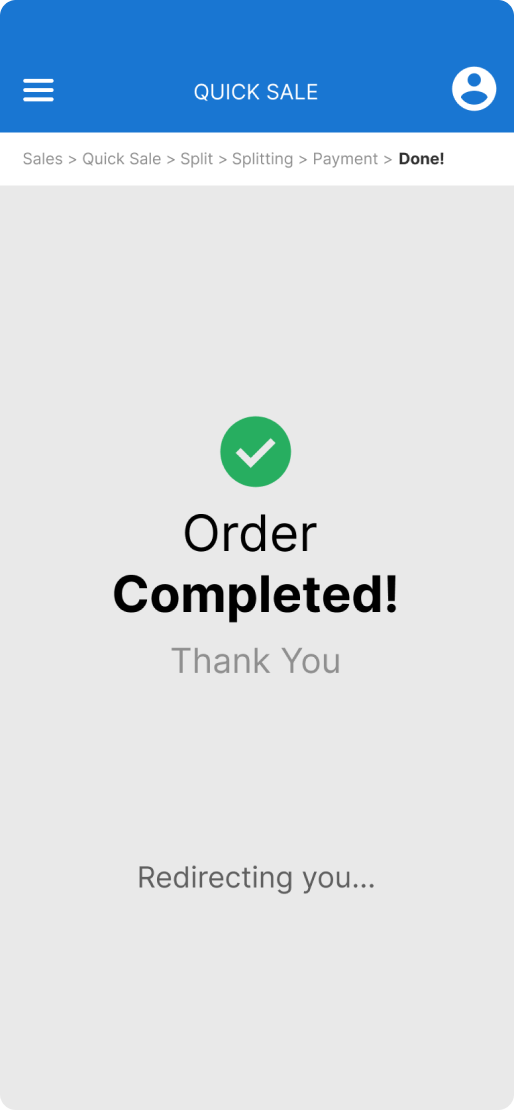
Simplify split the bill effortlessly

Case Study / Rooket App / General Assembly - London

The Challenge

  • Splitting bills at large restaurant tables, especially with added service charges, complicates calculations and consumes time, particularly during busy periods.

Outcome

78.6%

Average Success

61.2s

Average Duration

23.6%

Missclick rate

Position

Product Designer

Timeline

April to June/2023

Platform

IOS

UX Process

A Simple, Step-by-Step Experience

Discovery Research
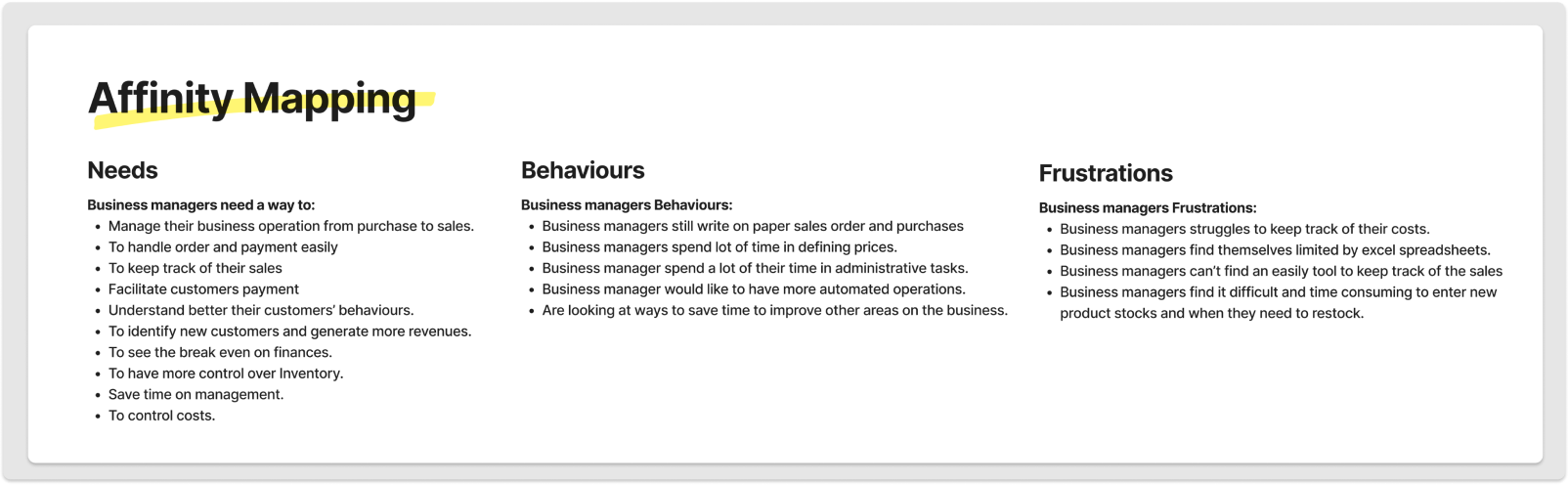
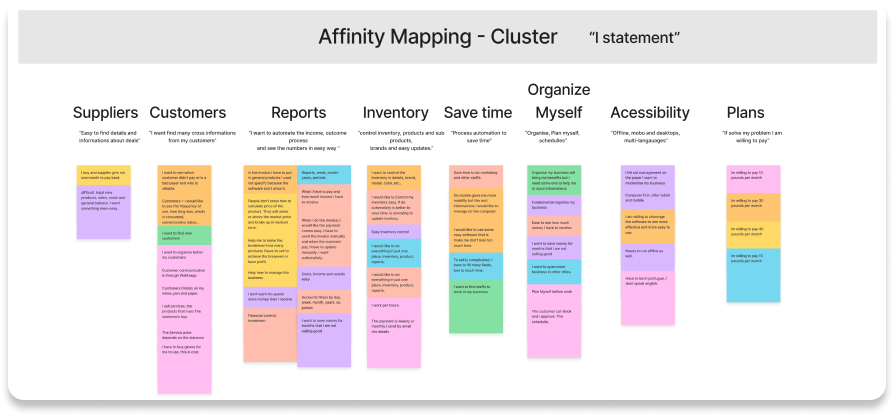
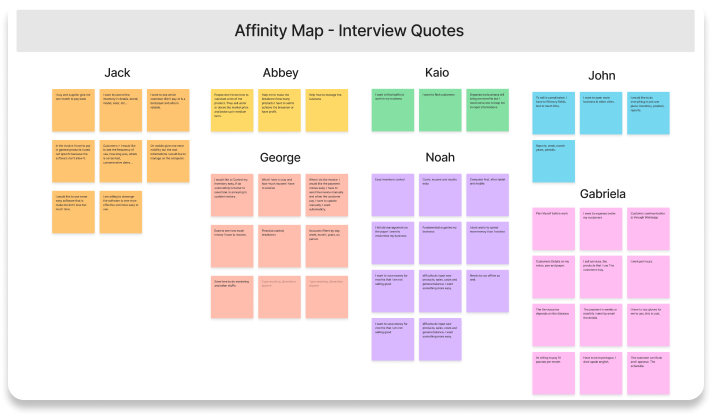
Applied the Double Diamond methodology during interviews with business managers, employing a mix of questions, "5 Whys," and affinity mapping techniques to pinpoint opportunities in needs, behaviors, and pain points.
Method: Evaluative research through in-person survey.
Survey Design: 40 multiple choice and open-end questions.

Participants: 7.
Data Sourced: Qualitative.
Key findings and pain points uncovered
  • Billing complexity: uneven 10% service charge application causes customer confusion; staff inconsistency in manual bill splitting identified.
Problem Statement
Extracted insights from the discovery survey and affinity map were pivotal in formulating a concise Problem statement:

' Managers need a way to handle their sales processes, in order to save time, be more efficient and be organised in their daily operations. ’
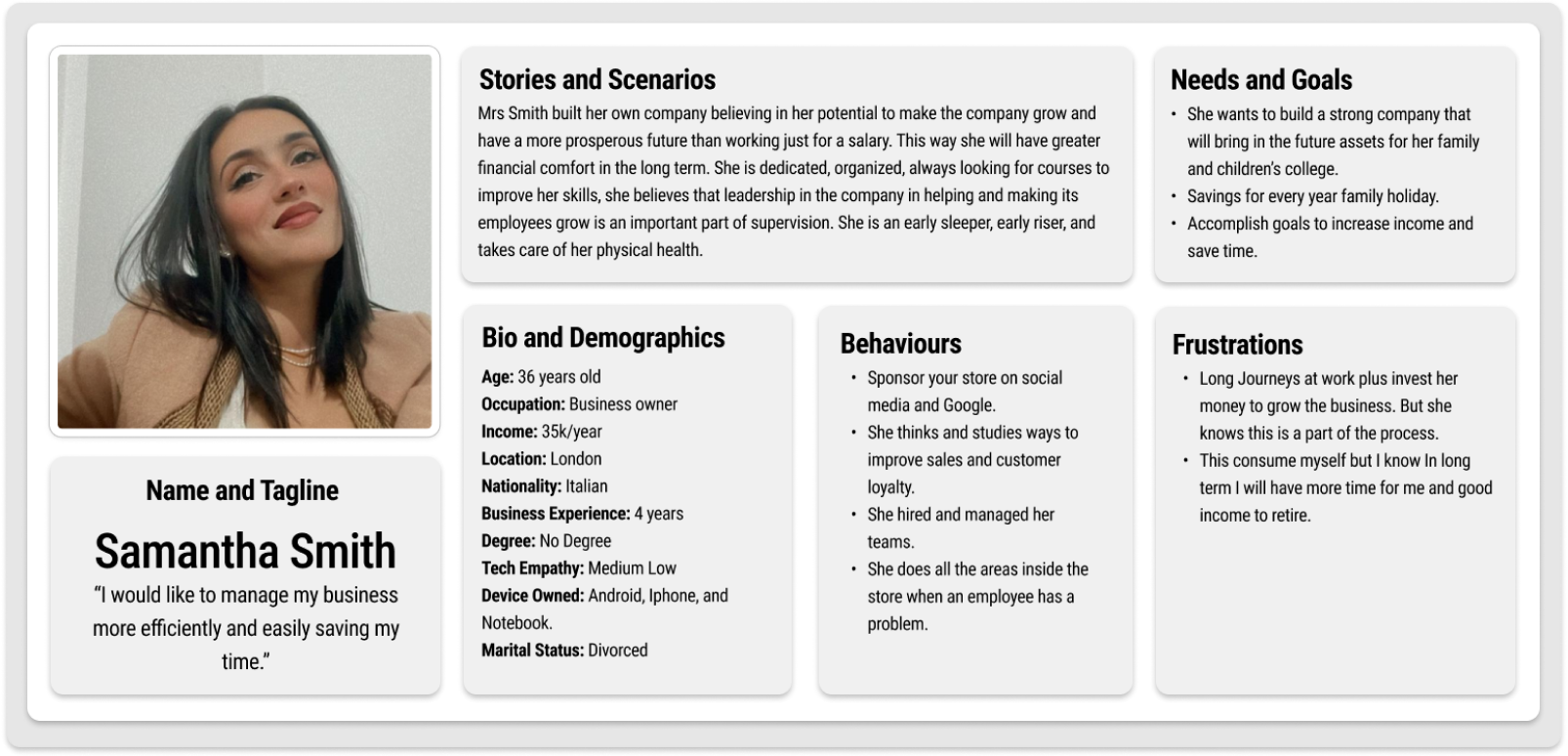
Persona
HMW statements
In enhancing the impact of our research and assumptions, 

how might we assist business managers...

...help business manager handling their operation more easily and intuitively?
...help business manager save time by automate tasks?
...help business manager to bring more efficiency to business operations?
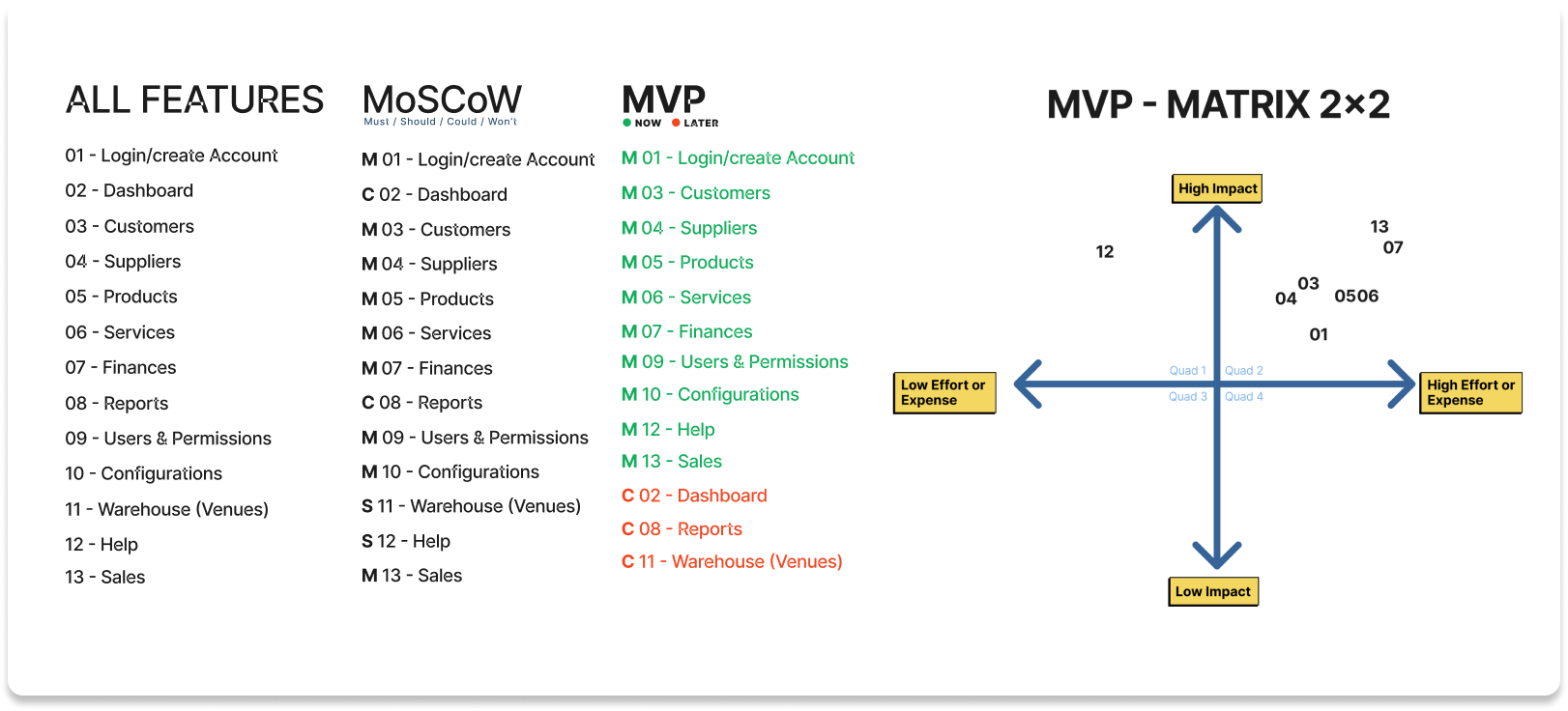
Features Prioritisation
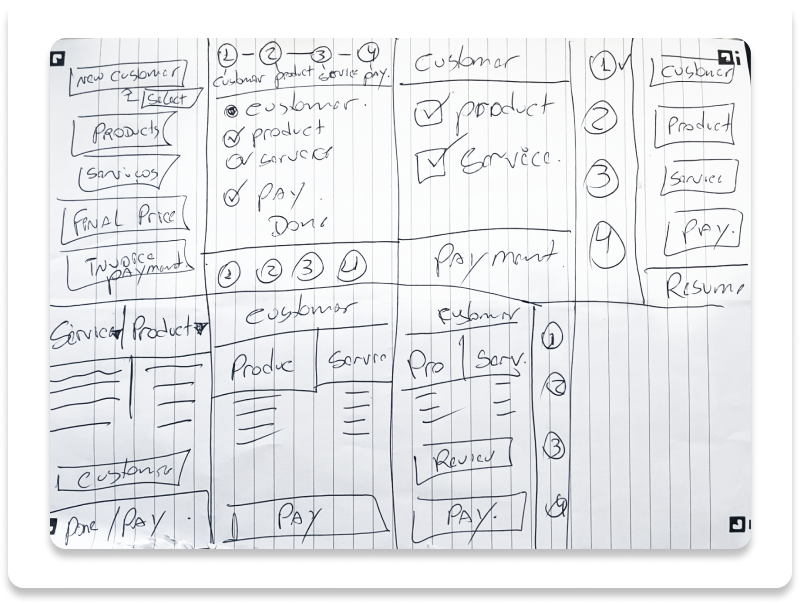
Two techniques were employed to delineate and rank features that are not only rapid and cost-effective to develop but also carry substantial impact for the successful launch of the MVP (Minimum Viable Product).
Design solutions
To arrive at optimal design solutions, I employed the Crazy 8's technique within the context of the sales processes.
Crazy 8's
Quick Sales Process
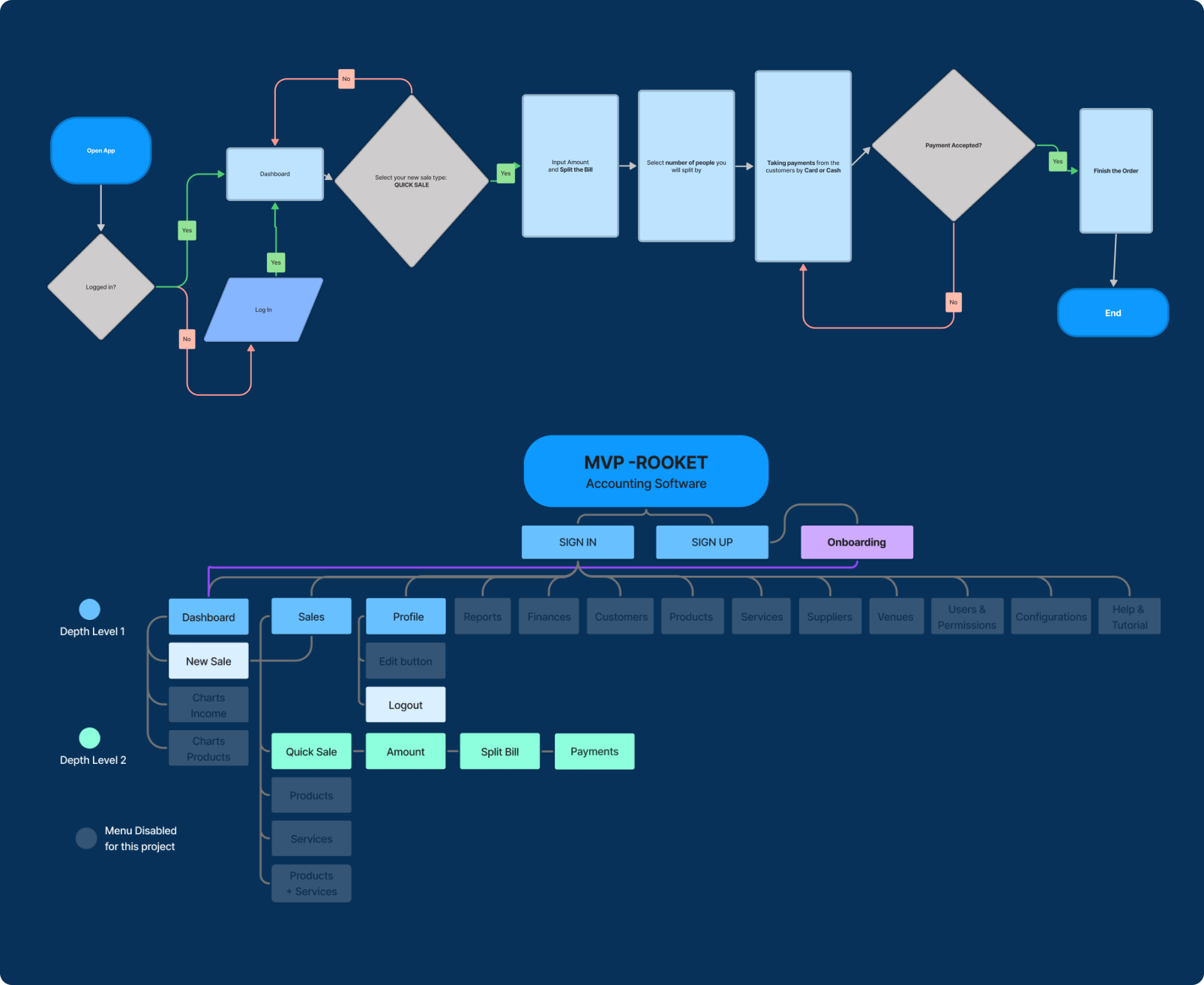
User Flow & Sitemap
Discovery Research
Applied the Double Diamond methodology during interviews with business managers, employing a mix of questions, "5 Whys," and affinity mapping techniques to pinpoint opportunities in needs, behaviors, and pain points.
Method: Evaluative research through in-person survey.
Survey Design: 40 multiple choice and open-end questions.

Participants: 7.
Data Sourced: Qualitative.
Key findings and pain points uncovered
  • Billing complexity: uneven 10% service charge application causes customer confusion; staff inconsistency in manual bill splitting identified.
Problem Statement
Extracted insights from the discovery survey and affinity map were pivotal in formulating a concise Problem statement:

' Managers need a way to handle their sales processes, in order to save time, be more efficient and be organised in their daily operations. ’

Persona
HMW statements
In enhancing the impact of our research and assumptions, 

how might we assist business managers...

...help business manager handling their operation more easily and intuitively?
...help business manager save time by automate tasks?
...help business manager to bring more efficiency to business operations?
Features Prioritisation
Two techniques were employed to delineate and rank features that are not only rapid and cost-effective to develop but also carry substantial impact for the successful launch of the MVP (Minimum Viable Product).
Design solutions
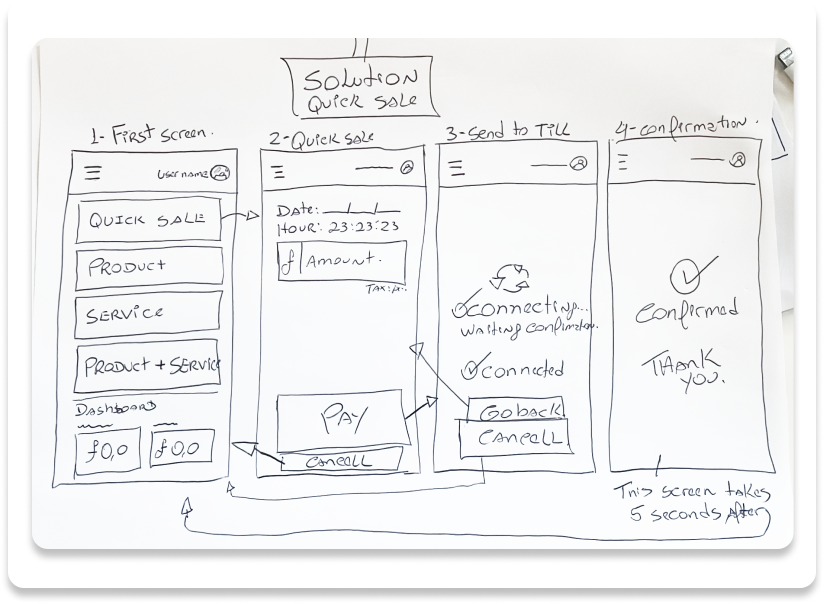
To arrive at optimal design solutions, I employed the Crazy 8's technique within the context of the sales processes.
Crazy 8's
Quick Sales Process
User Flow & Sitemap
Wireflow

The use of a wireflow greatly aided in understanding the diverse user pathways needed to successfully accomplish the task.
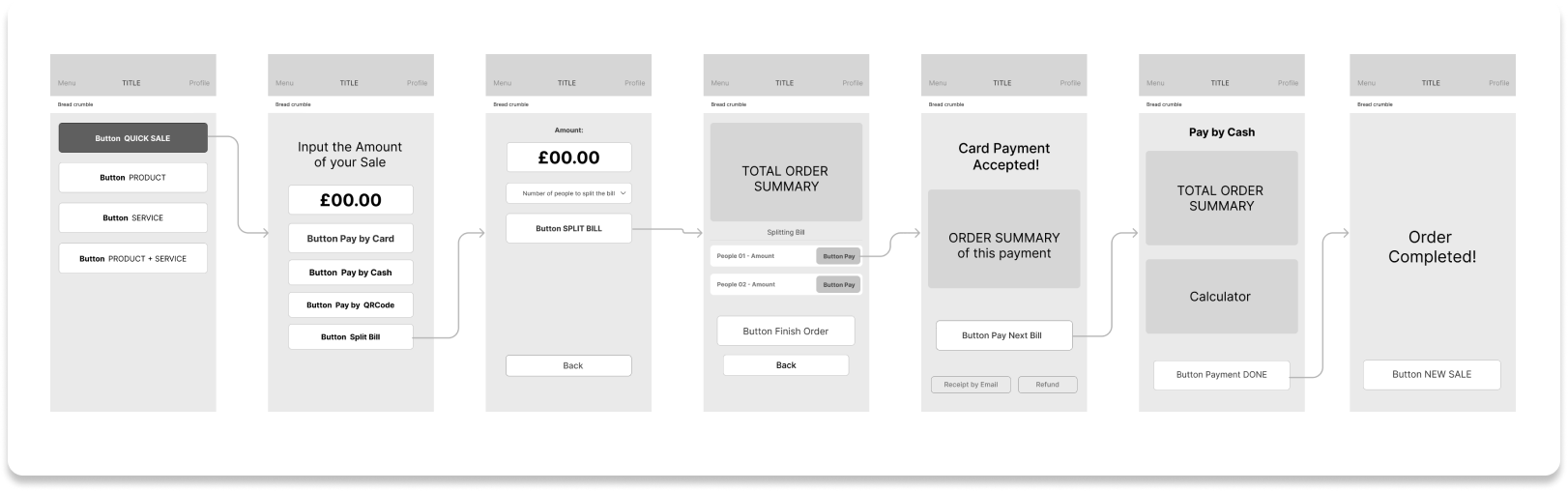
Low fidelity
screens

Integrating low-fidelity screens was crucial, as it enabled usability testing without color interference, ensuring a more precise and accurate representation of the outcomes.
Moderated
usability test
Moderated usability test - low fidelity screens - Outcome
All users accomplish their tasks 100%.
Task: Create a order throught Quick Sale feature, split the bill by two, take the payment from the customers and finish the order.

Method:  Moderated Usability Test.

Data Sourced: Qualitative.

Interviewees: 3.

Job to be done: 1.

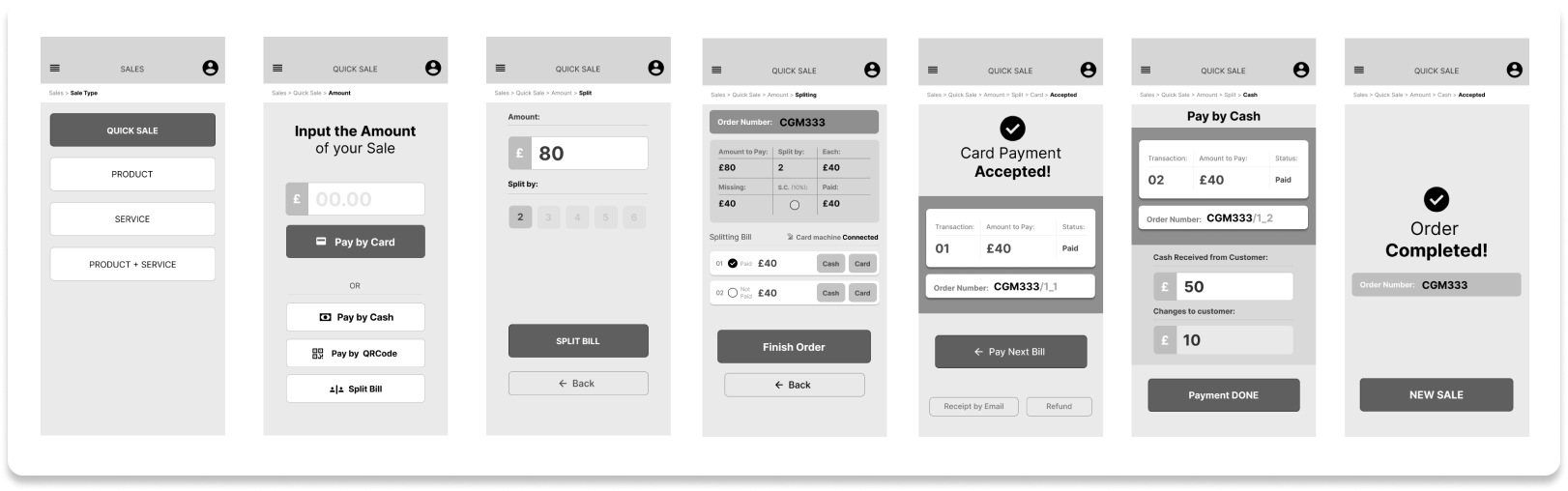
High fidelity
screens

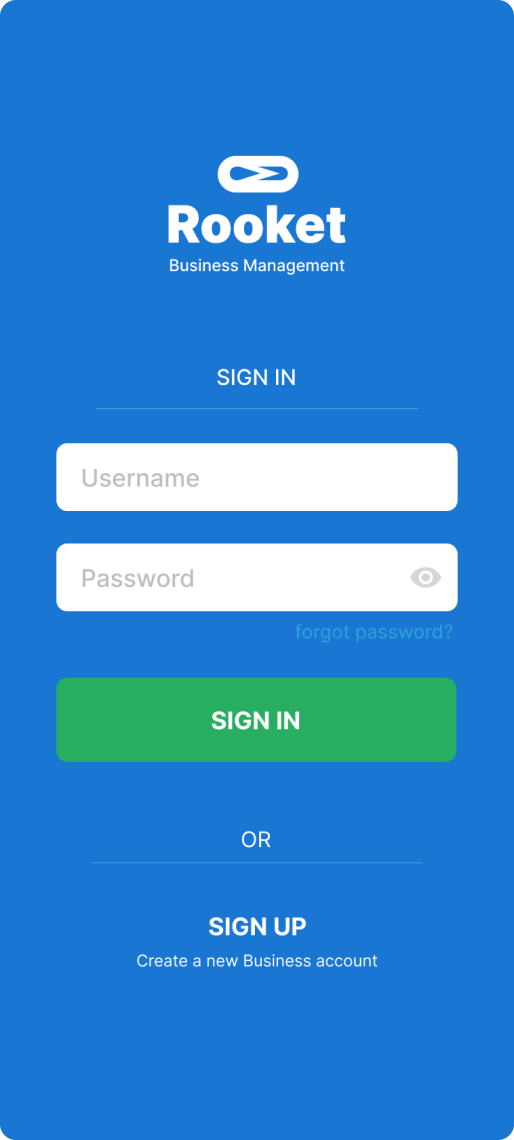
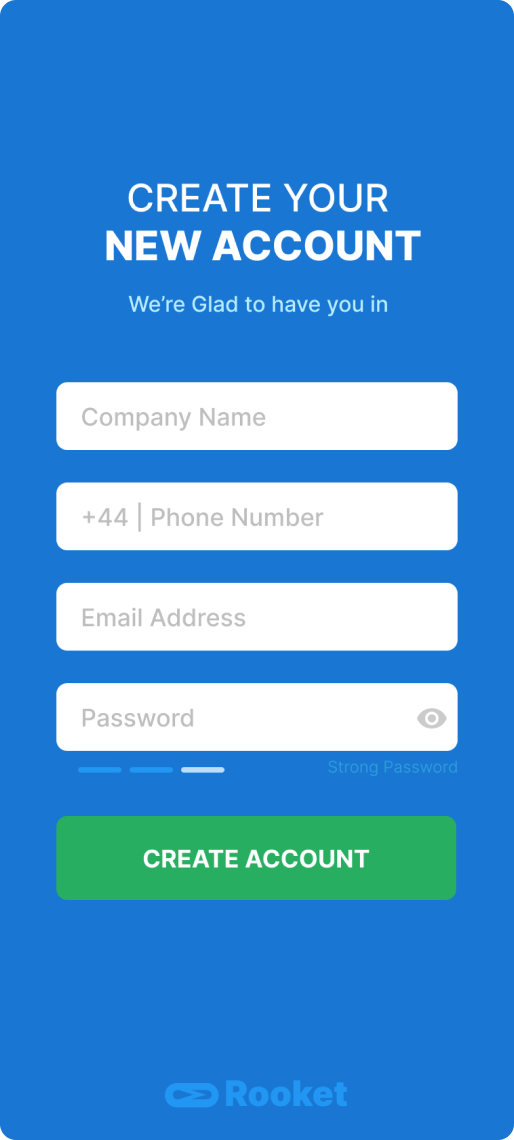
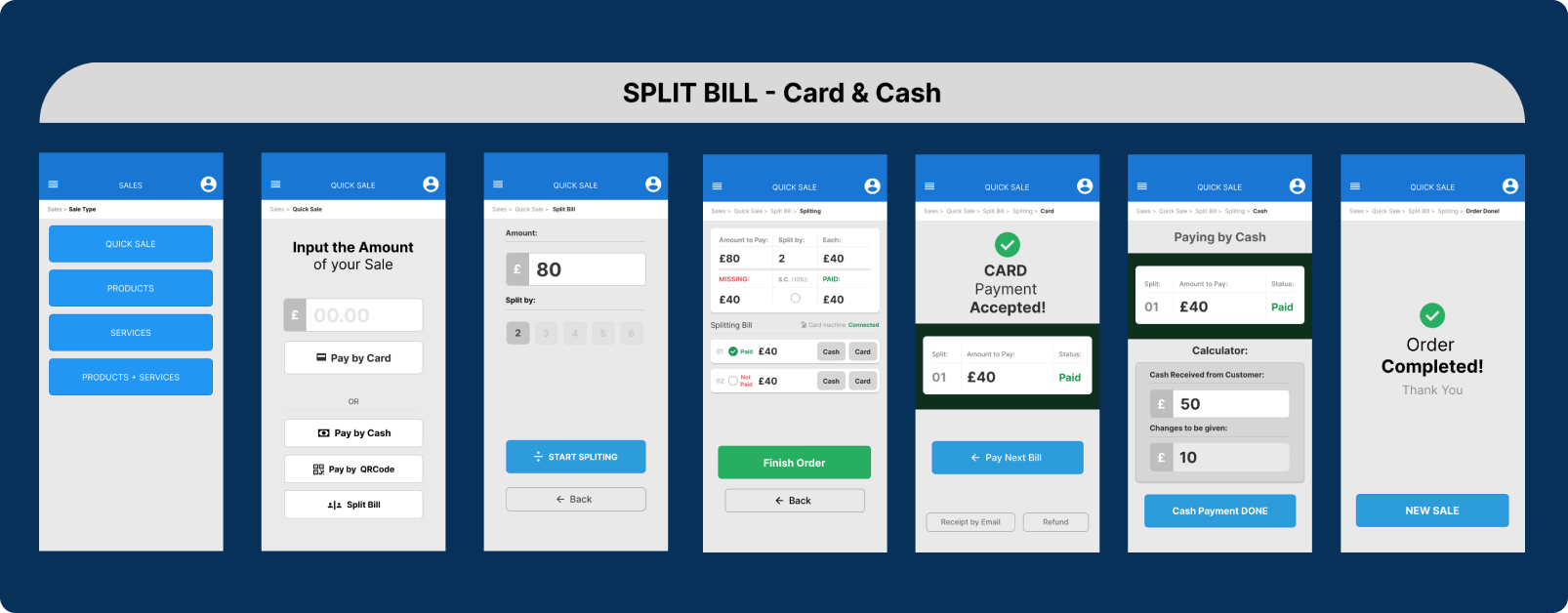
By maintaining the exact low-fidelity screens and introducing colors, followed by a usability re-test, we observed improved results in terms of usability.
Un-moderated
usability test
First Un-moderated test on high fidelity screens
  • Usability shows that users got stuck on the payment page.

  • Needed: The usability of the page must be restructured and tested again.

Method:  Moderated Usability Test.

Data Sourced: Qualitative.

Interviewees: 9.

Job to be done: 1.
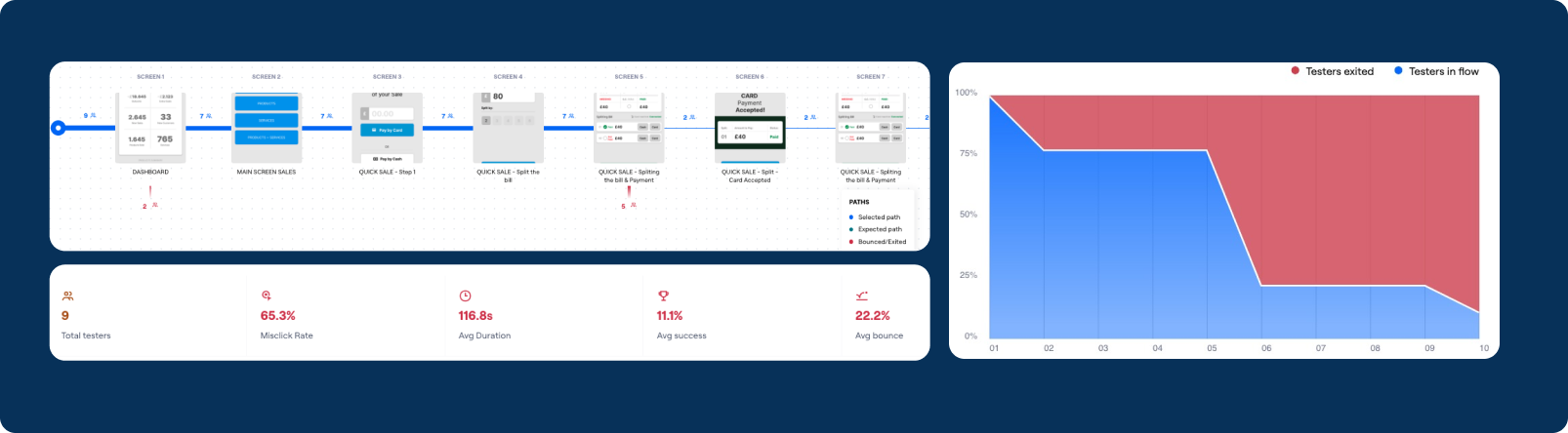
Outcome Un-moderated usability test - high fidelity screens
11.1% Avg Success
116.8s Avg Duration
65.3% Misclick Rate

Problem uncover: The most of the users was not confident on the SPLIT page and got stucked.
Solution: Split page was redesigned focus on make the usability even more easy.
Refine the problem
uncovered

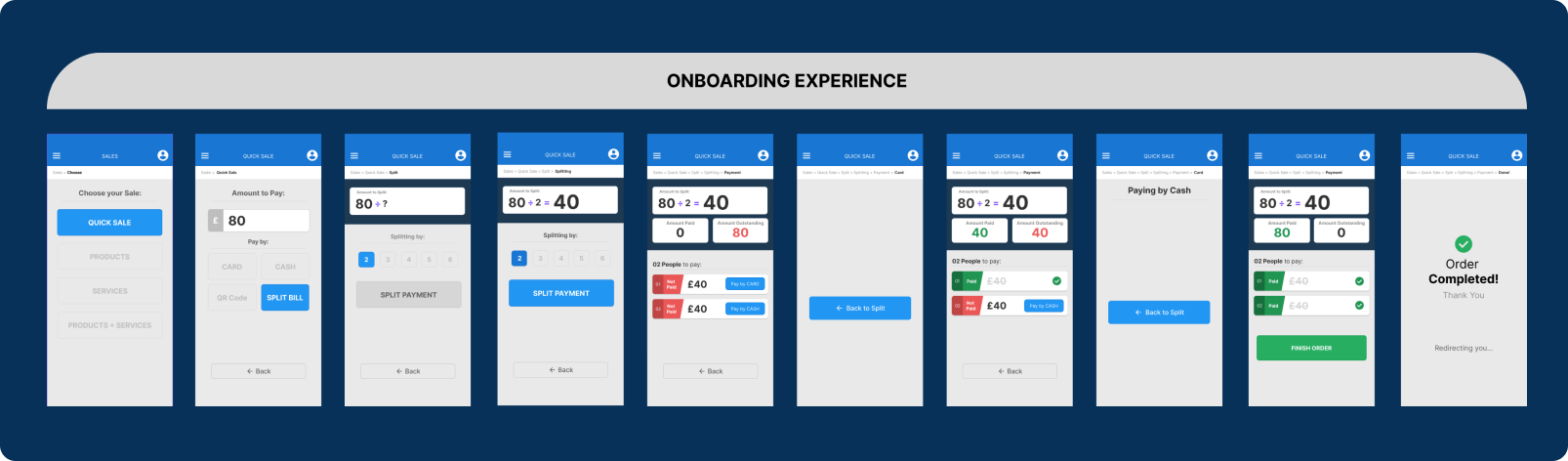
The Split page was re-redesign focused on facilitate the flow and usability to be tested.
Un-moderated Test
Second un-moderated Test on high fidelity screens
  • Usability shows that users got stuck on the payment page.

  • Needed: The usability of the page must be restructured and tested again.

    Method:  Un-moderated usability test.

    Data Sourced: Qualitative.

    Interviewees: 14.

    Job to be done: 1.
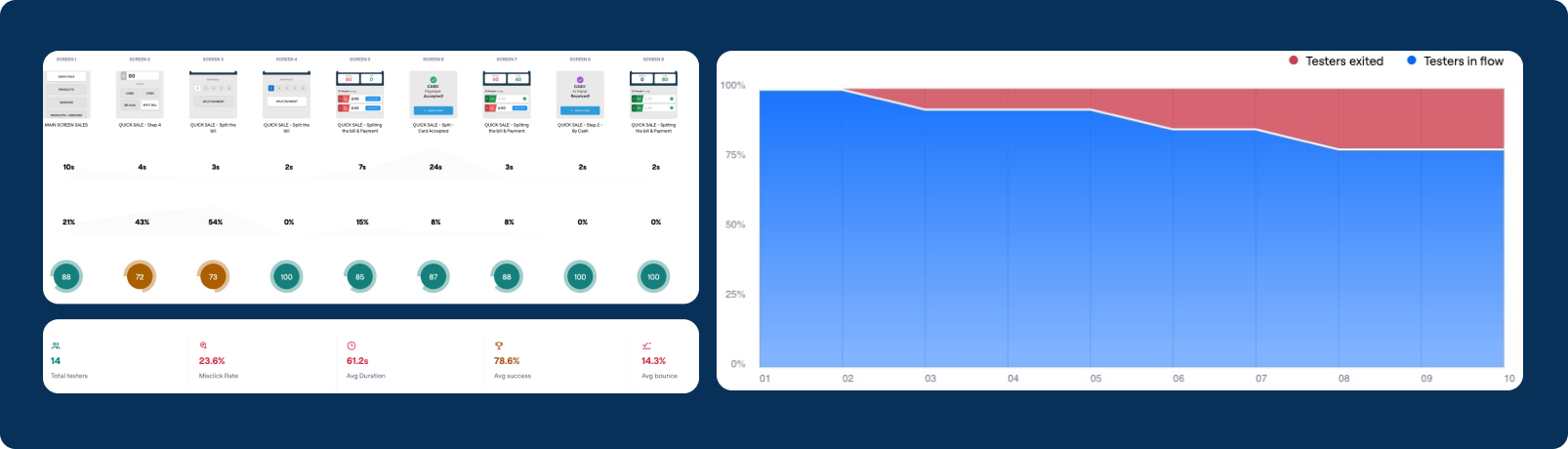
    Outcome Un-moderated usability test - high fidelity screens
    78.6% Avg Success
    61.2s Avg Duration
    23.6% Misclick Rate

    Result: The Split page ta was causing bootle neck the new screens acomplish the goal.
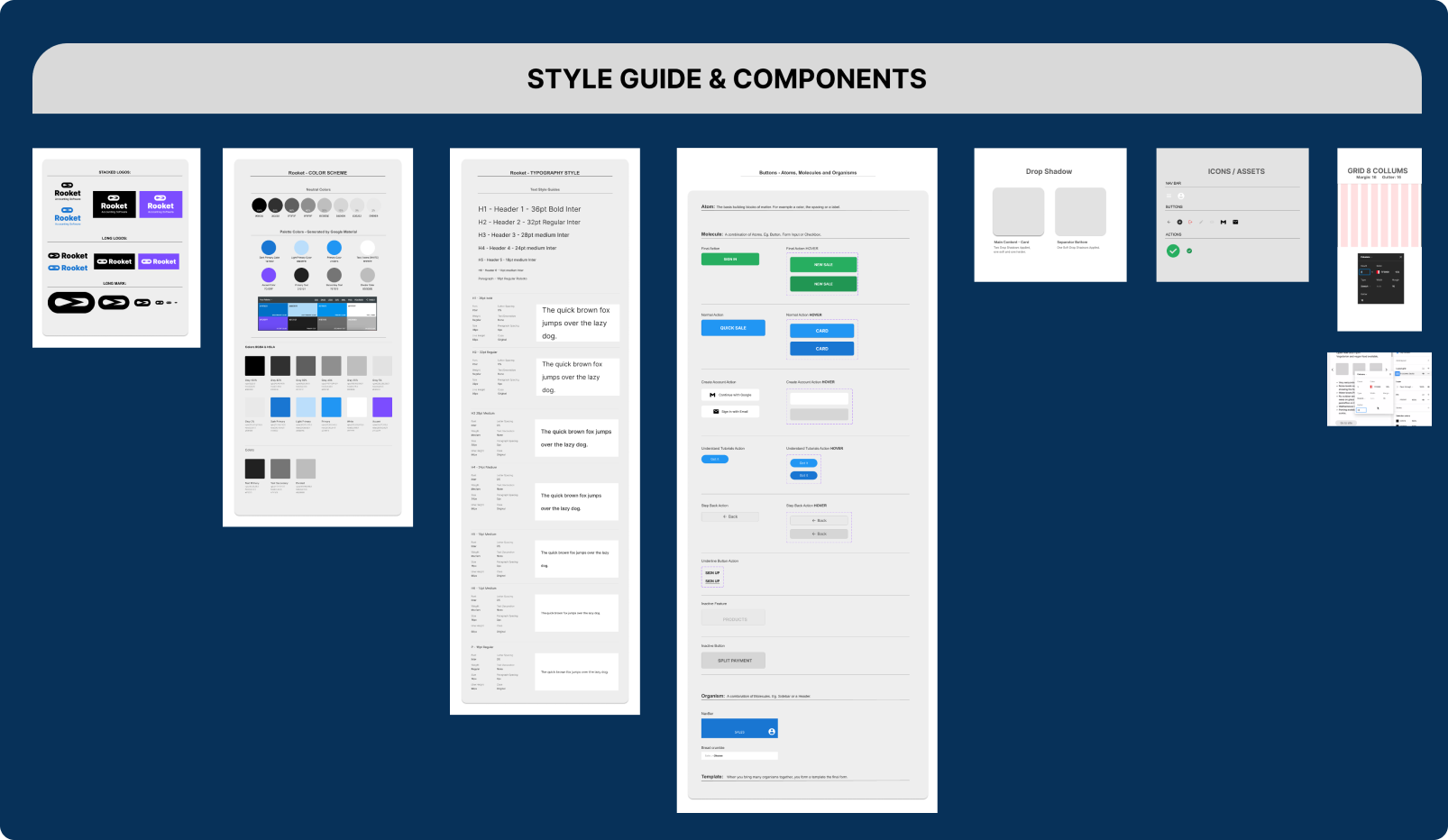
    Style guides
    Usability test outcome
    Un-moderated usability test - high fidelity design

    Validated navigation, iterated prototype, evaluated interactions, user-centric design

    Method: Evaluative research through un-moderated test

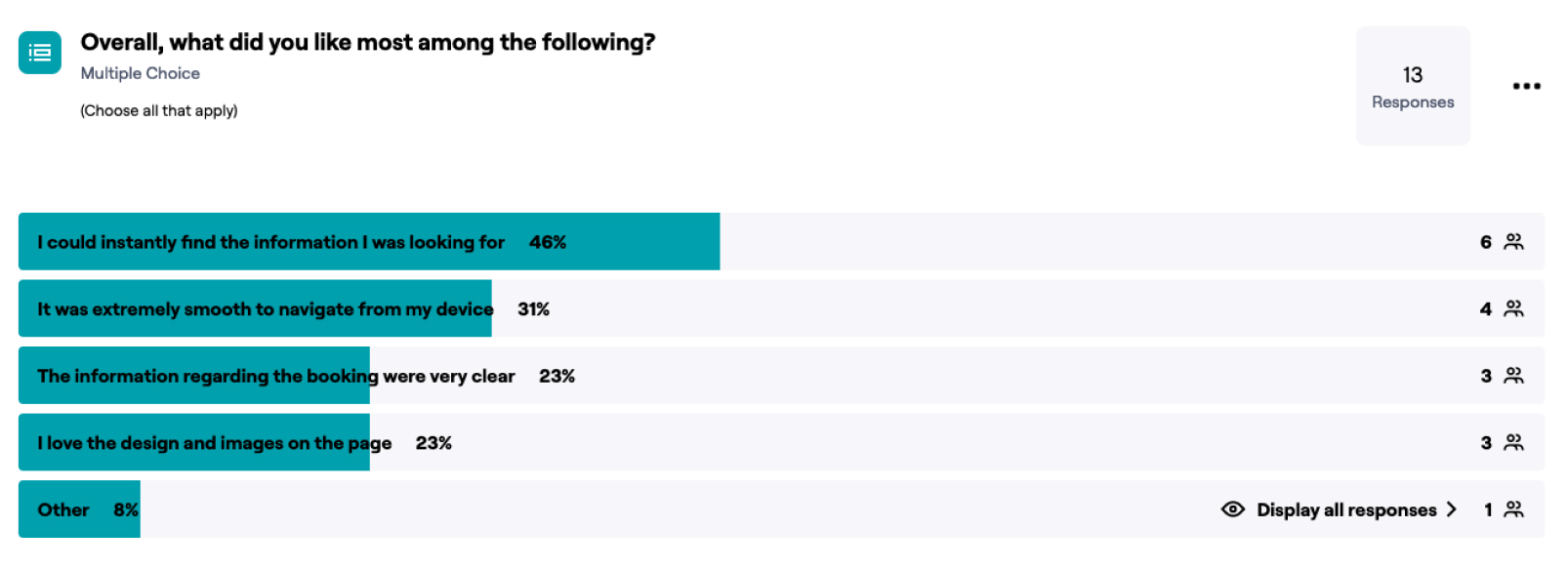
    Survey Design: open-end, multiple-choice and 5 points like-scale questions
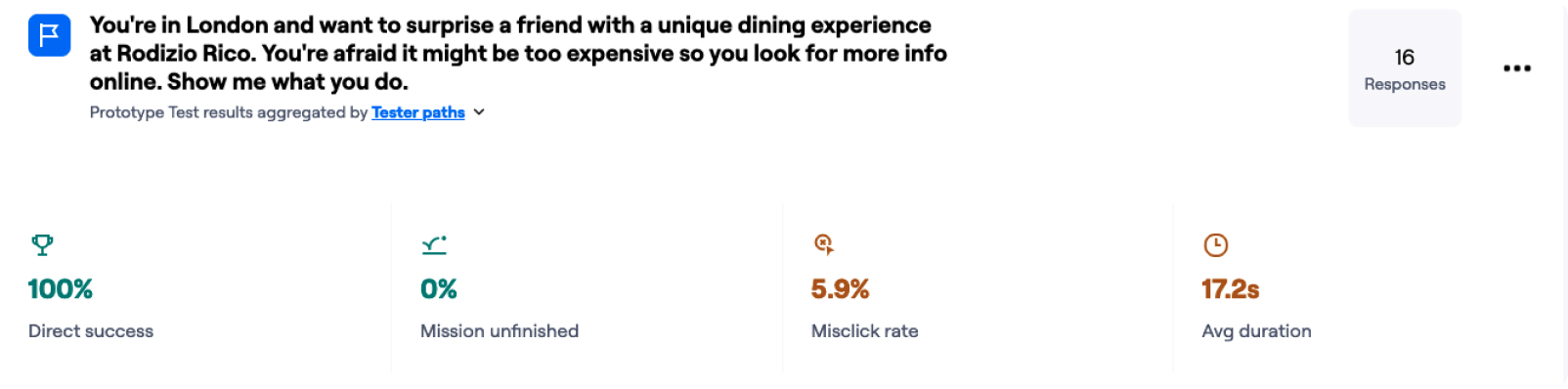
    Participants: 16

    Data Sourced: Qualitative and quantitative
    Outcome and improvements achieved:
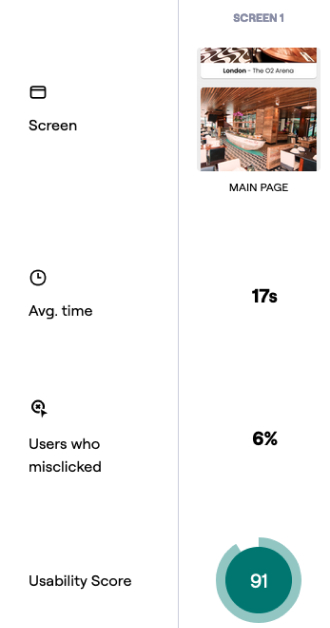
    Through usability testing, we achieved a 100% success rate with users completing the task of checking menu and pricing options in under 18 seconds. 
Their satisfaction rating was 4.8 out of 5. 
Our future goal is to reduce inbound calls to restaurants by 70%.
    Reduced booking completion time

    By modifying the "Book a Table" CTA Button, we achieved a 100% success rate and reduced the booking time to an average of 48 seconds.

    Refinement of user preferences

    Users expressed their preference for various aspects and features of the revamped design and navigation flow, validating our success in enhancing visual and content hierarchy, along with providing an improved mobile-first navigation experience.
    MVP

    Desinging the minimal solution

    Applying the MVP strategy, we swiftly delivered crucial features, reducing user friction and learning iteratively. Staged feature launches helped identify impactful features, generating positive results weekly

    What have I learned?

    Reflecting back on the project

    Projects often expand beyond the initial briefing; as user research unfolds, new insights emerge, necessitating additional features to address evolving challenges. Integrations with third parties can introduce sudden changes, altering user journeys and requiring a reassessment of business needs in response to new limitations.

    What have I learned?

    Reflecting back on the project

    In this project, I have gained valuable insight into the art of conducting thorough research and synthesising survey data from diverse ethnic backgrounds. By studying various behaviours and preferences exhibited by different ethnicities, I have acquired a deep understanding of how to strategically position elements in UI. This involved careful consideration of the average opinion derived from the survey data, enabling me to make better design decisions.